
Convert Bank Statement PDFs to Excel & Tally XML in Seconds
The fast, online accounting toolkit for Indian CAs and businesses. Convert multi-page bank statements, generate GST-compliant invoices, and export clean data directly to Tally Prime.
0%
Client Confidentiality
0%
Faster Data Prep
0%
Tally XML Validated



Advanced Post-Processing & CA Workflows
Everything You Need: PDF Converter, GST Invoices & Tally XML
Eliminate manual data entry. Convert messy bank PDFs into structured Excel sheets, generate GST-compliant tax invoices, and export schema-validated XML directly into Tally Prime.
Turn Multi-Page Bank PDFs into Clean Excel & Tally XML
Our intelligent parser automatically recognizes transaction layouts for State Bank of India, HDFC, ICICI, Axis, Kotak, PNB, BoB, Canara, and more.
- Smart Narration Flattening: Combines broken multi-line transaction rows into single clean cells.
- Multi-Page FY Batch Consolidation: Merge 12 monthly statements into a continuous financial year audit workbook.
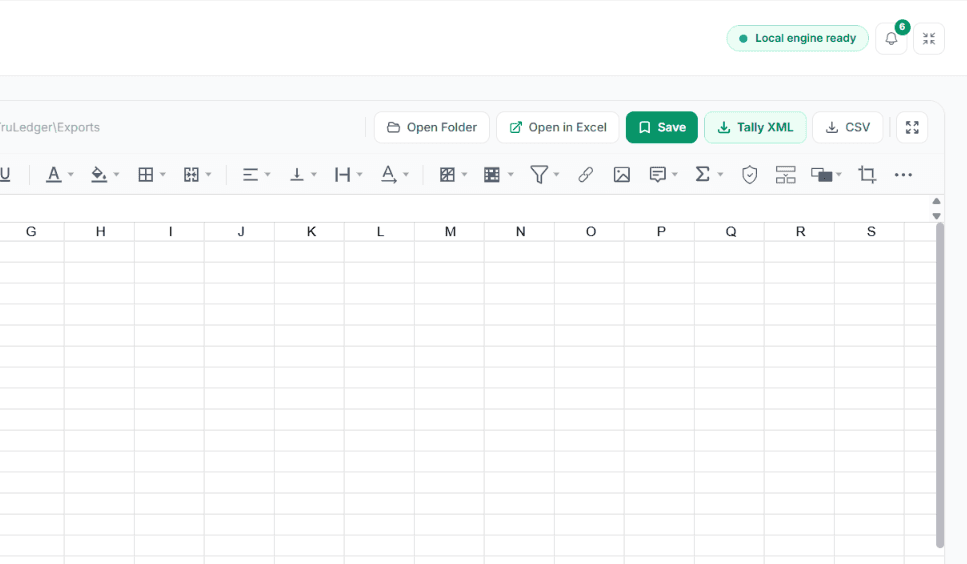
- Built-In Spreadsheet Editor: Inspect, verify balances, and adjust columns right in your browser.
| Date | Narration / Description | Debit (₹) | Credit (₹) | Balance (₹) |
|---|---|---|---|---|
| 01-04-2025 | UPI/5092182910/M/S SHARMA ENTERPRISES/PAYMENT | 45,000.00 | — | 1,82,450.00 |
| 04-04-2025 | NEFT/N10294819/TECHCORP SERVICES PVT LTD | — | 1,25,000.00 | 3,07,450.00 |
| 08-04-2025 | GST PMT/0825000000001/CHALLAN PAYMENT | 18,540.00 | — | 2,88,910.00 |
Everything You Need in One Unified Platform
Bank PDF to Excel Converter
Transform statement PDFs from SBI, HDFC, ICICI, Axis, PNB, and 45+ banks into clean Excel tables. Automatically merges broken multi-line transaction narrations.
Explore Bank PDF to Excel ConverterDirect Tally Prime XML Export
Generate schema-compliant XML accounting vouchers for Tally Prime and ERP 9. Built-in pre-export ledger verification prevents import errors.
Explore Direct Tally Prime XML ExportGST Invoicing & Billing Engine
Live visual invoice builder with automatic CGST, SGST, and IGST tax routing based on state codes, HSN/SAC lookups, and instant PDF/WhatsApp dispatch.
Explore GST Invoicing & Billing EnginePayment Receipts & Vouchers
Generate official payment receipts with automatic Amount-in-Words in Indian numbering (Crores & Lakhs), bank transaction logging, and thermal print support.
Explore Payment Receipts & VouchersIn-Browser Spreadsheet Editor
Inspect, verify balances, and adjust columns right inside your browser. Full spreadsheet functionality without requiring a Microsoft Office license.
Explore In-Browser Spreadsheet EditorInstant GSTIN & PAN Validator
Validate GSTIN checksum digits in milliseconds using the Verhoeff algorithm. Decode state jurisdictions and taxpayer entity categories on the fly.
Explore Instant GSTIN & PAN Validator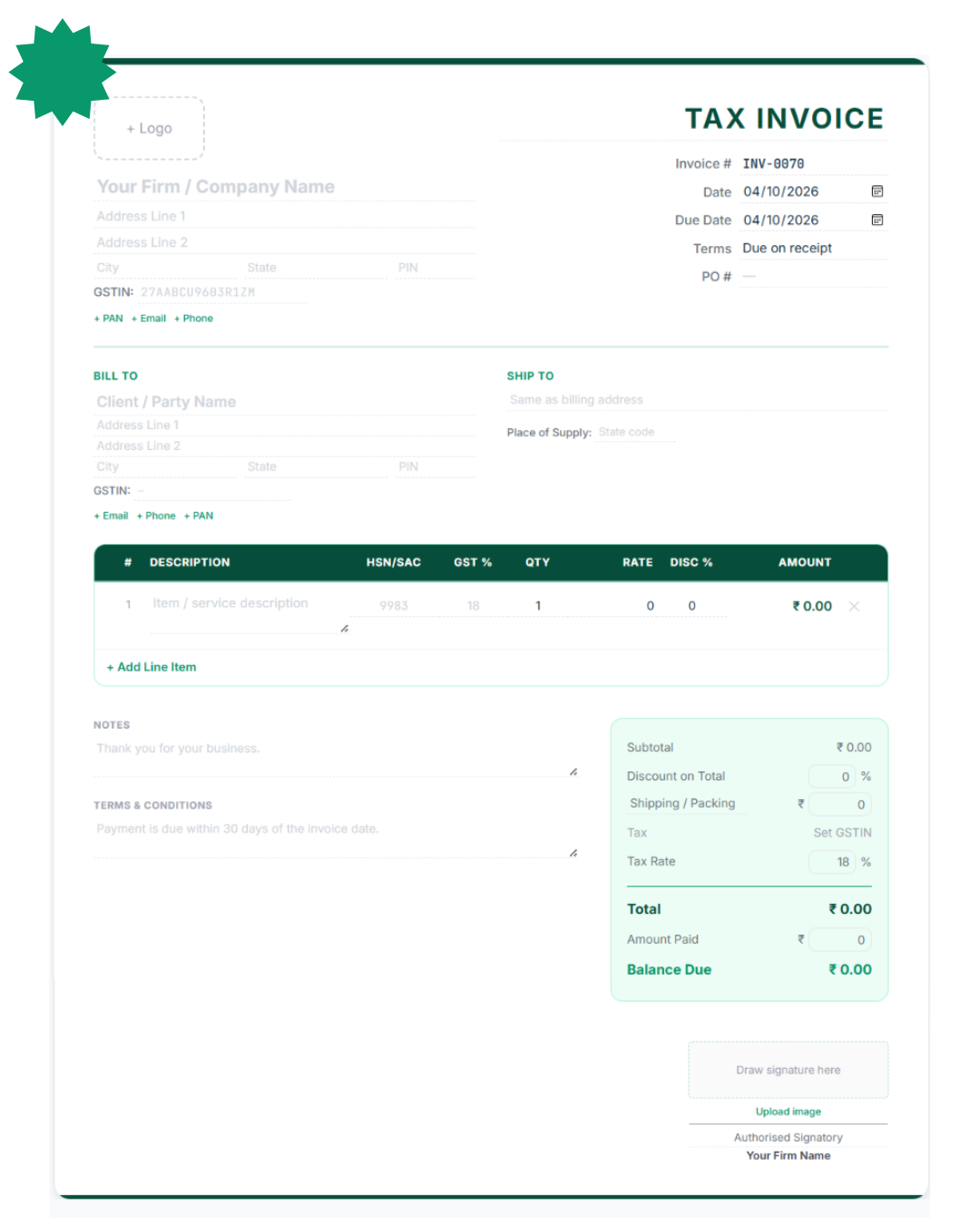
Professional GST Invoices in Seconds
Make GST invoices in a cloud workspace with instant PDF, Excel, and Tally exports. Click directly on the preview to change any field without having to use clunky forms. Includes six professional themes and seven types of documents.
Automatic Tax Routing
Extracts state codes from GSTINs to automatically split CGST and SGST or apply IGST.
Multiple Format Export
Download as a pixel perfect PDF, Excel, JSON, or direct Tally XML Sales Voucher.
Payment Receipt Generator
Make branded payment receipts that automatically convert amounts to words in Indian numbering formats like Lakhs and Crores. It supports six ways to pay, such as UPI and NEFT.
Need to process bulk payments? Import your payment list from Excel or CSV to rapidly generate hundreds of customised receipts all at once.
Explore Receipt Tools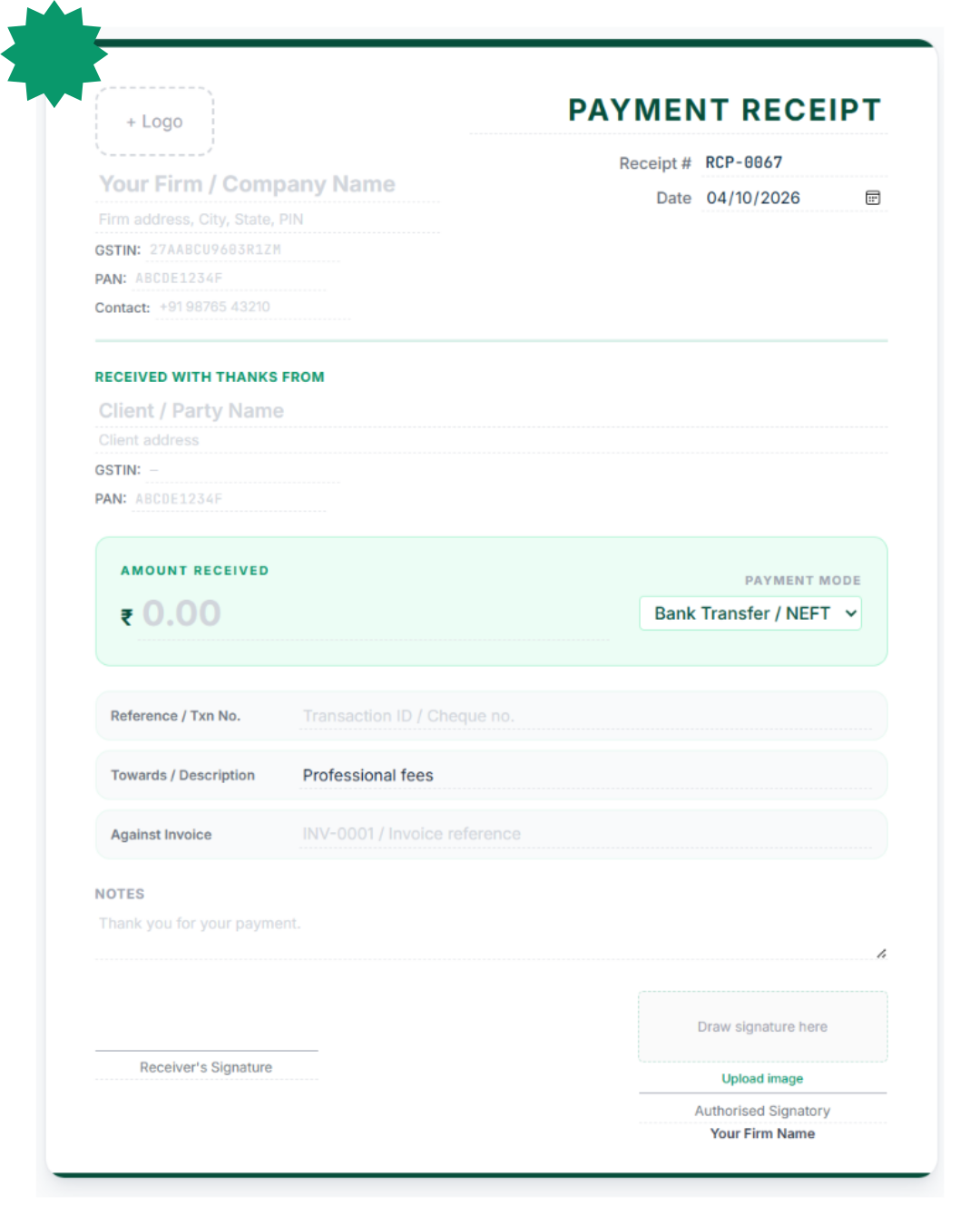


Advanced PDF Parsing, Spreadsheet Editing & Tally XML Export Workflows
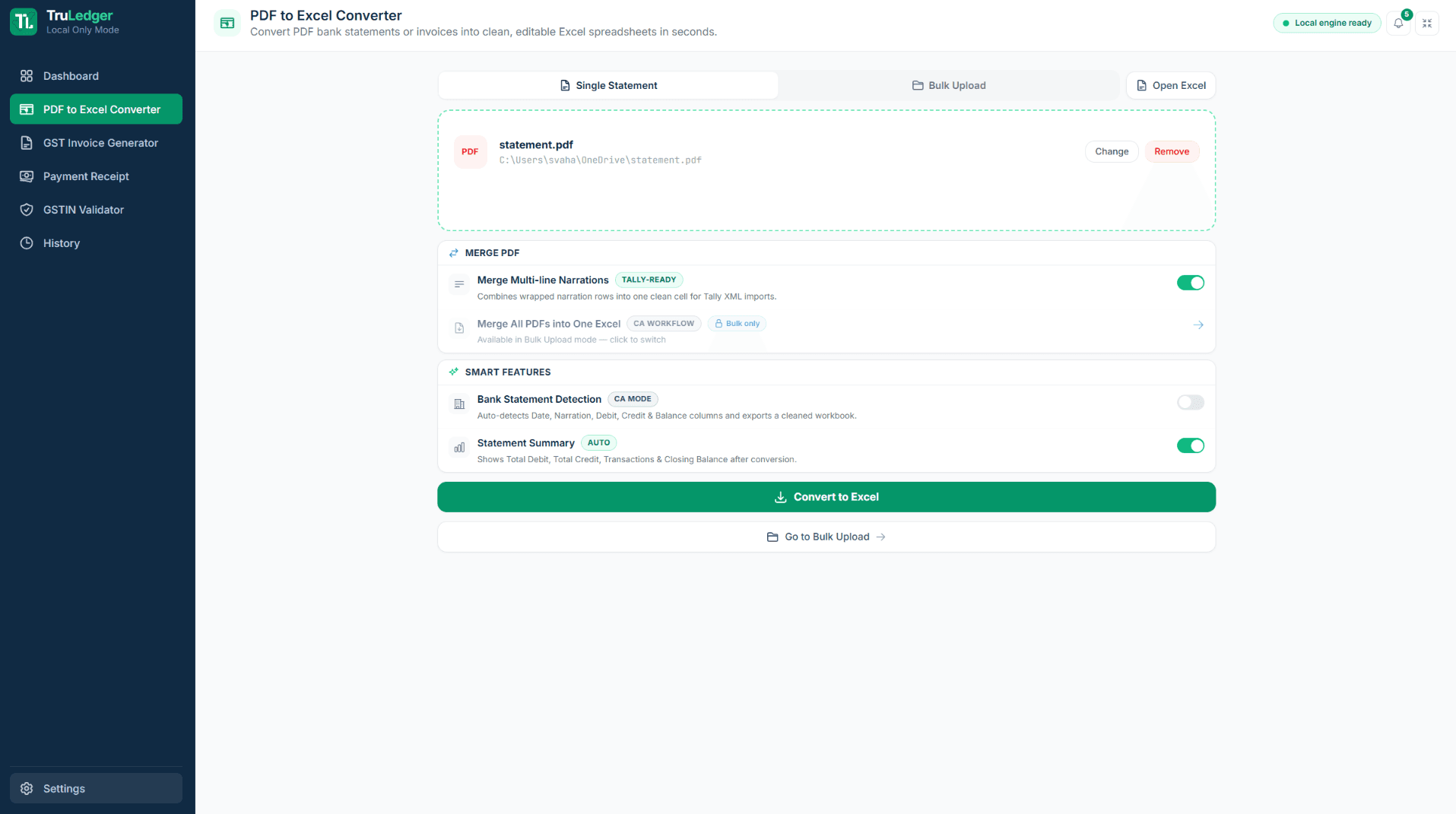
Smart PDF Parsing & Narration Merging
Drag and drop your PDF (or a whole folder of 12 monthly statements for Bulk FY Consolidation) into the engine. The engine can now automatically detect the Date, Description, Debit, Credit and Balance columns for over 40 Indian banks through a heuristic header matching approach.
Our post processing algorithm identifies if a transaction's narration spans over more than one line, merging these broken rows into a single neat cell to avoid the annoying Tally import errors.
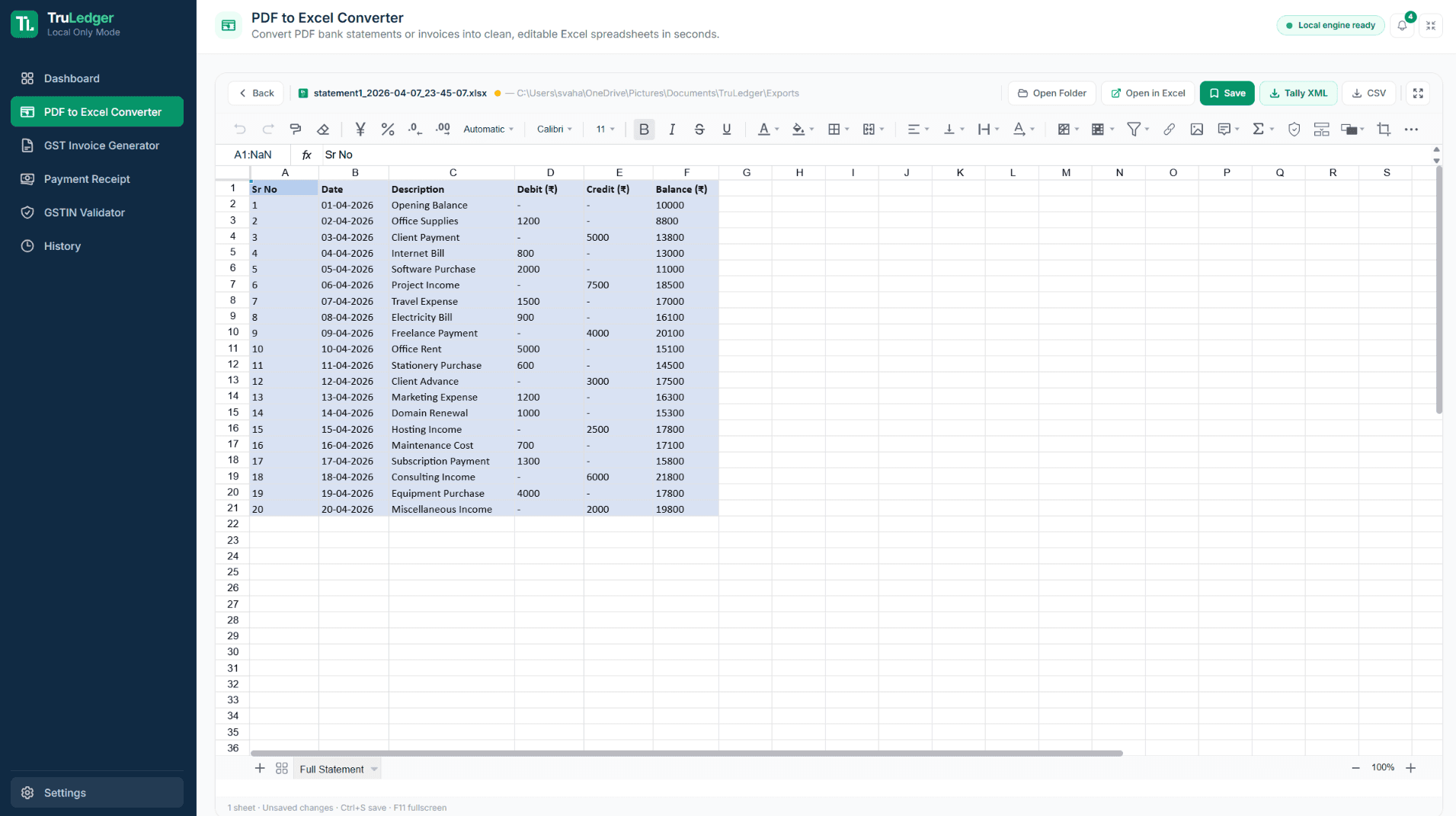
Built-In Spreadsheet Editor (No MS Office Required)
Preview, review, and edit your converted data natively inside TruLedger's embedded FortuneSheet engine. Make corrections, map missing ledgers, and format columns without ever buying a Microsoft Excel license.
The engine automatically applies Data-Type Repair to clean up dates and numbers. You can also bypass PDFs entirely by utilizing Universal Input to drop raw .xlsx or .csv files directly into the editor for cleanup.
Schema-Validated Tally XML Export
Click a single button to generate Tally Prime / ERP 9 compatible XML files. Our pre-export schema validator actively catches missing ledger names or unbalanced vouchers before you download, preventing Tally rejection errors.
Before exporting, review the Automated Settlement Summary to mathematically verify Total Debits, Credits, and Closing Balance. Then, import your Journal vouchers directly into the Gateway of Tally with zero manual entry.
Frequently Asked Questions
Quick answers to the most common questions about TruLedger licensing, privacy, and compatibility.
View All FAQsYes. TruLedger processes financial data through secure, isolated memory pipelines. Your bank statements, invoices, and accounting records are never sold, shared, or used for model training.
Yes. Converted bank statements and GST sales invoices can be exported directly to Tally Prime and Tally.ERP 9 XML voucher formats, pre-validated for net-zero double-entry balance.
No. TruLedger includes an interactive in-browser spreadsheet viewer (FortuneSheet) that renders your parsed data directly. You can inspect transactions, edit narrations, and map ledgers before exporting.




Built for CAs Across India.
TruLedger is engineered to power high-volume accounting workflows for chartered accountants, tax professionals, and businesses nationwide — designed to reliably process thousands of statements.
50+
Indian Bank Profiles
100%
Private Processing
Zero
Installation Required
TruLedger - Online Bank PDF Converter & GST Invoicing Platform
TruLedger is a fast, web-based accounting automation platform built for chartered accountants, tax professionals, and business owners across India. It streamlines the most critical financial workflows: converting multi-page bank statement PDFs to clean Excel, generating GST-compliant tax invoices, and producing verified Tally Prime XML vouchers in seconds.
The PDF to Excel converter accurately parses major Indian banks including State Bank of India, HDFC Bank, ICICI Bank, Axis Bank, Kotak Mahindra, Punjab National Bank, Bank of Baroda, and Canara Bank. Its intelligent parsing engine automatically merges broken multi-line narrations into single-cell descriptions, preventing alignment and ledger mapping errors.
The interactive spreadsheet editor allows you to inspect transactions, adjust column mappings, correct date formats, and download structured Excel spreadsheets or CSV files directly in your browser without requiring any software installations.
GST Invoicing in TruLedger features a live WYSIWYG editor for crafting professional B2B, B2C, SEZ, and Export tax invoices. Intelligent tax routing automatically applies CGST and SGST for intra-state sales or IGST for inter-state transactions based on the buyer state code.
Easily record partial or full invoice payments, maintain a centralized payment receipts register, and share payment reminders and receipts directly with clients via 1-click WhatsApp messaging.
Every voucher export complies with Tally Prime and ERP 9 XML schemas, guaranteeing zero-error imports and balanced accounting books. Start for free with 5 daily conversions and exports, or upgrade to unlimited Pro plans tailored for high-volume practices.